
Bring crypto onto the uLend network
Move from BNB Chain or Ethereum into your own wallet. Funds are released only when two of three independent attesters sign.
Move: paused on the current web product. App screen in development.
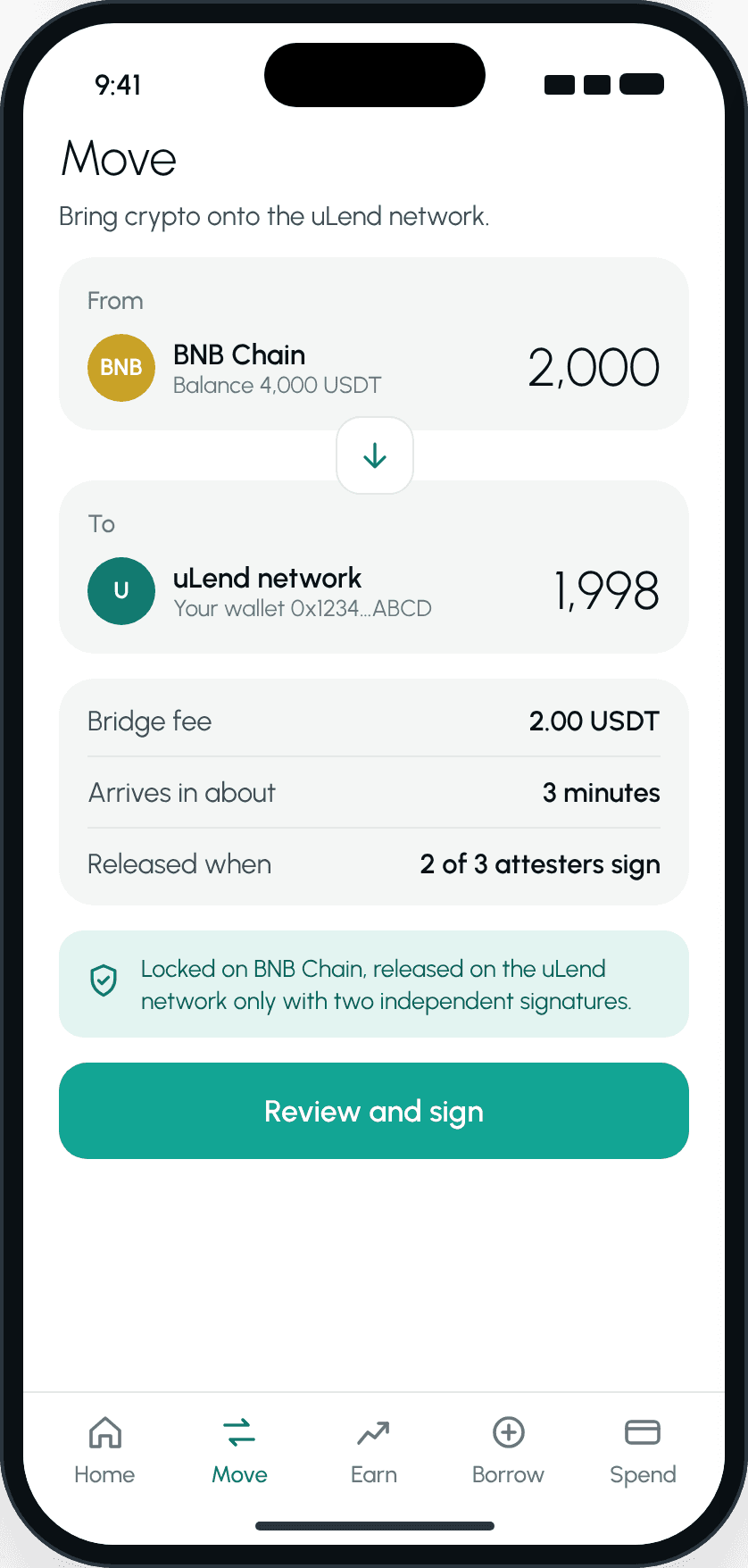
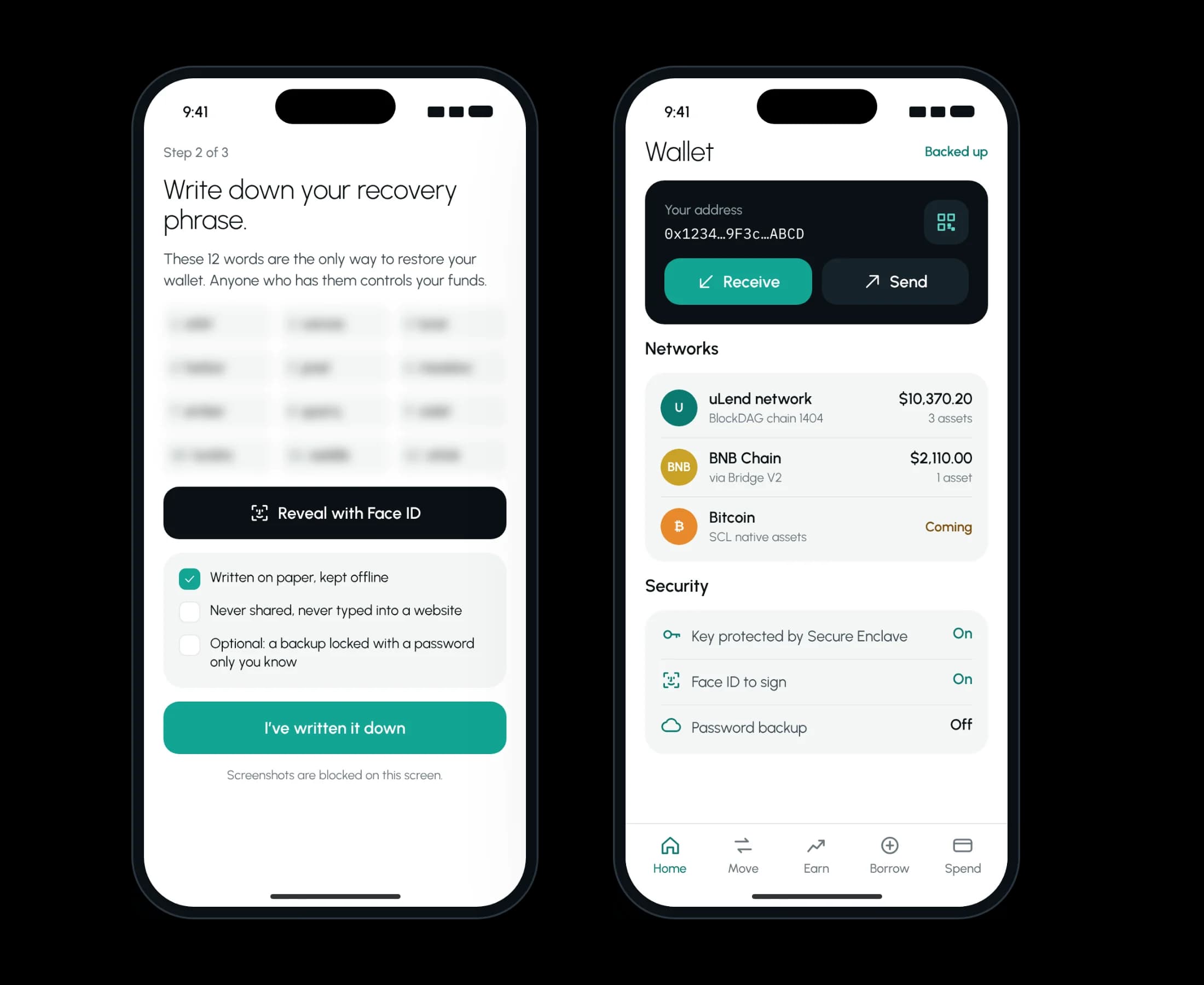
One wallet to move, earn, borrow and spend. It's being built so your recovery phrase stays on your phone and nothing moves until you sign.
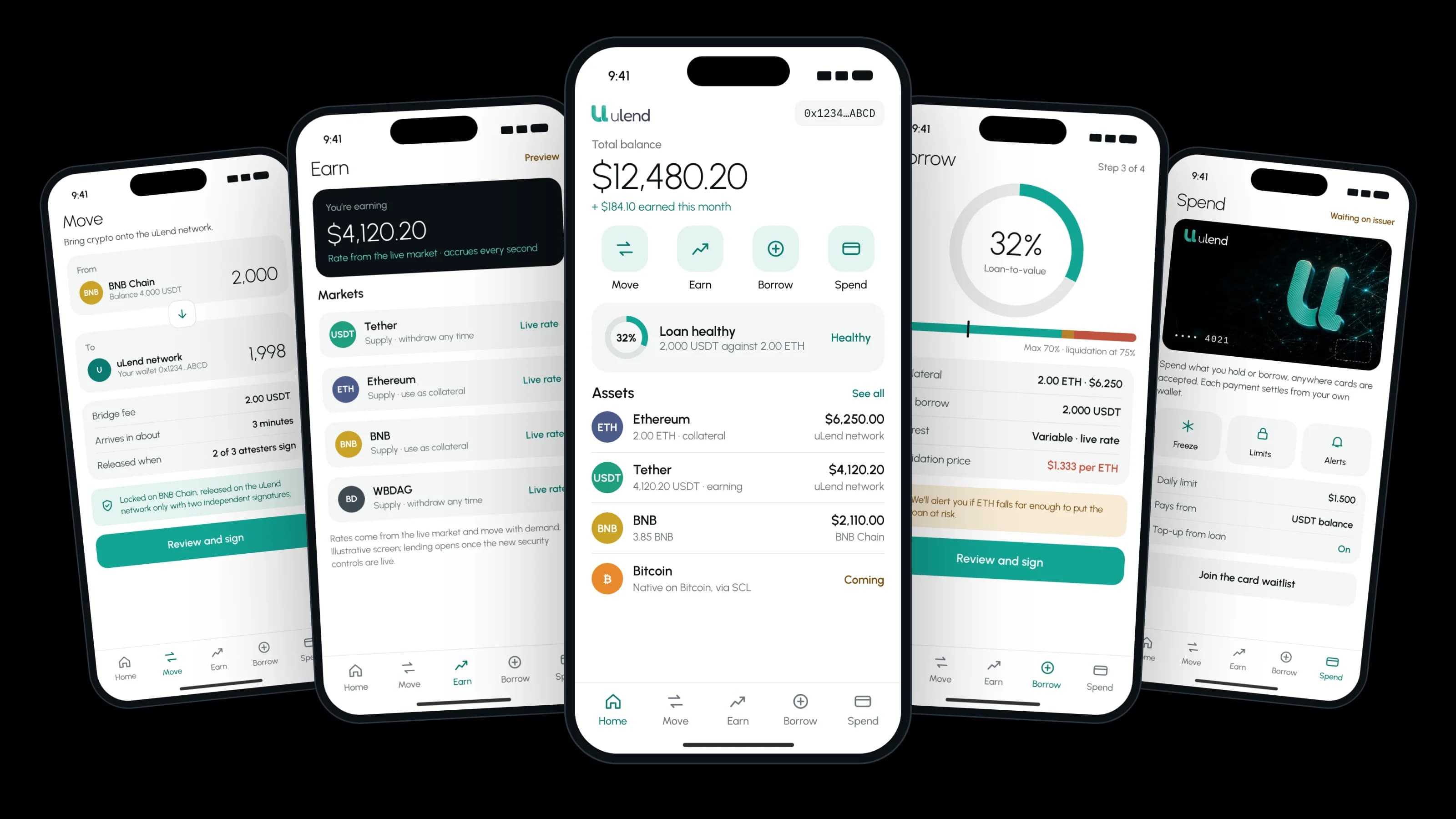
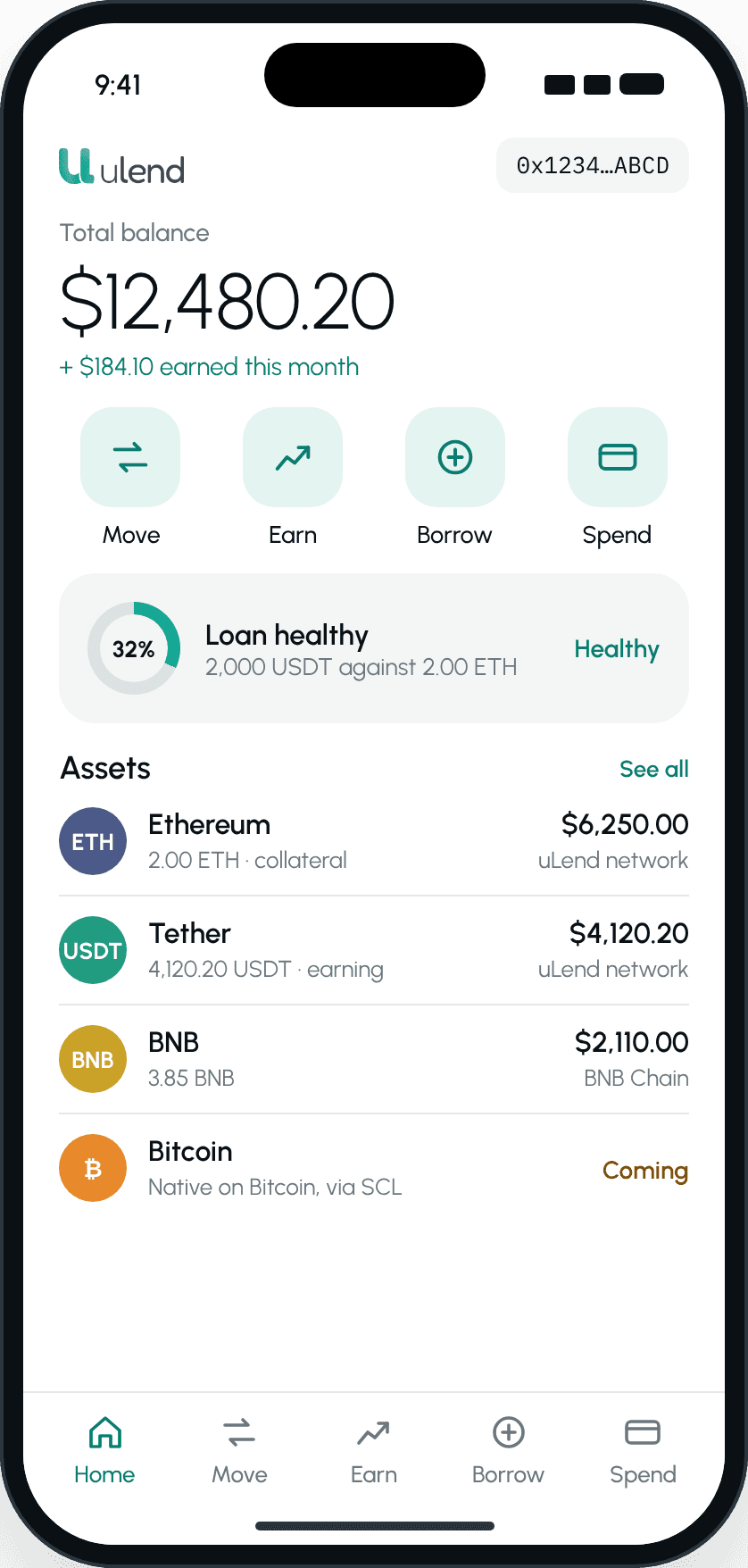
Design preview of the apps in development. Figures are illustrative.
The next release of the app is being built as a self-custody wallet. Here is how it will work.
In development.
Move from BNB Chain or Ethereum into your own wallet. Funds are released only when two of three independent attesters sign.
Move: paused on the current web product. App screen in development.
Supply assets to the lending markets and earn a variable rate set by demand. Withdraw any time when the market is open.
Earn: paused on the current web product. App screen in development.
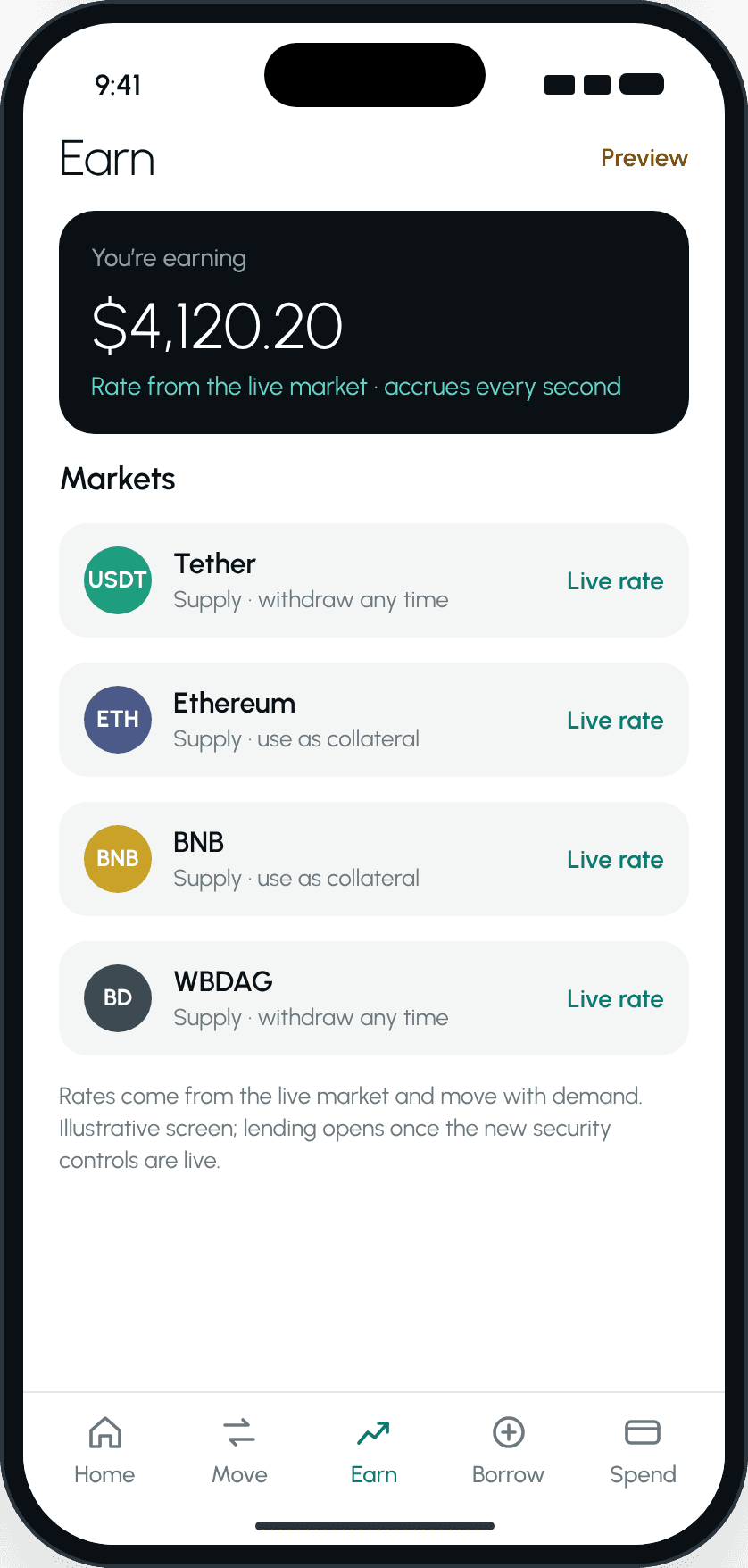
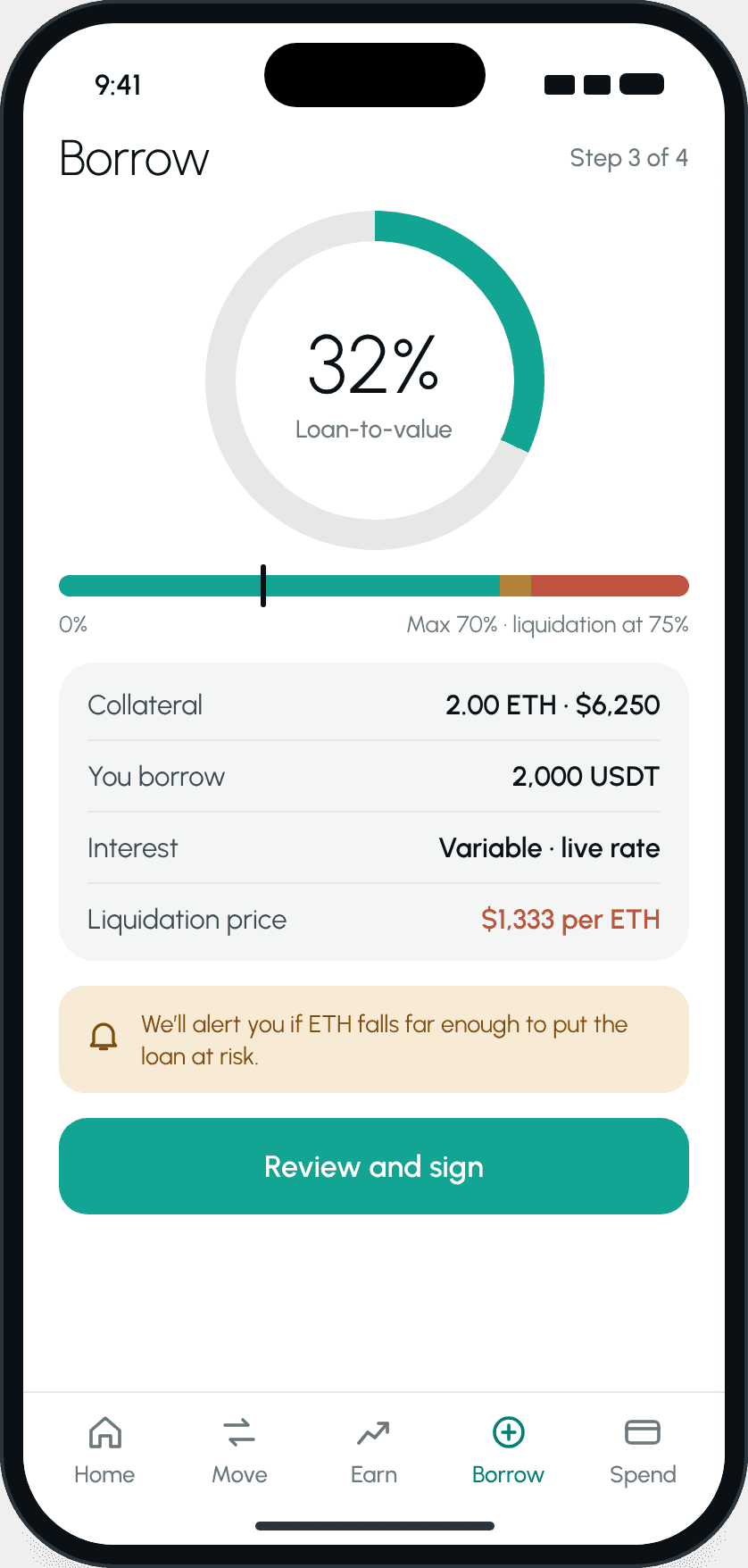
Borrow stablecoins against your crypto. You'll see the loan-to-value, the limit and your liquidation price before you sign.
Borrow: paused on the current web product. App screen in development.
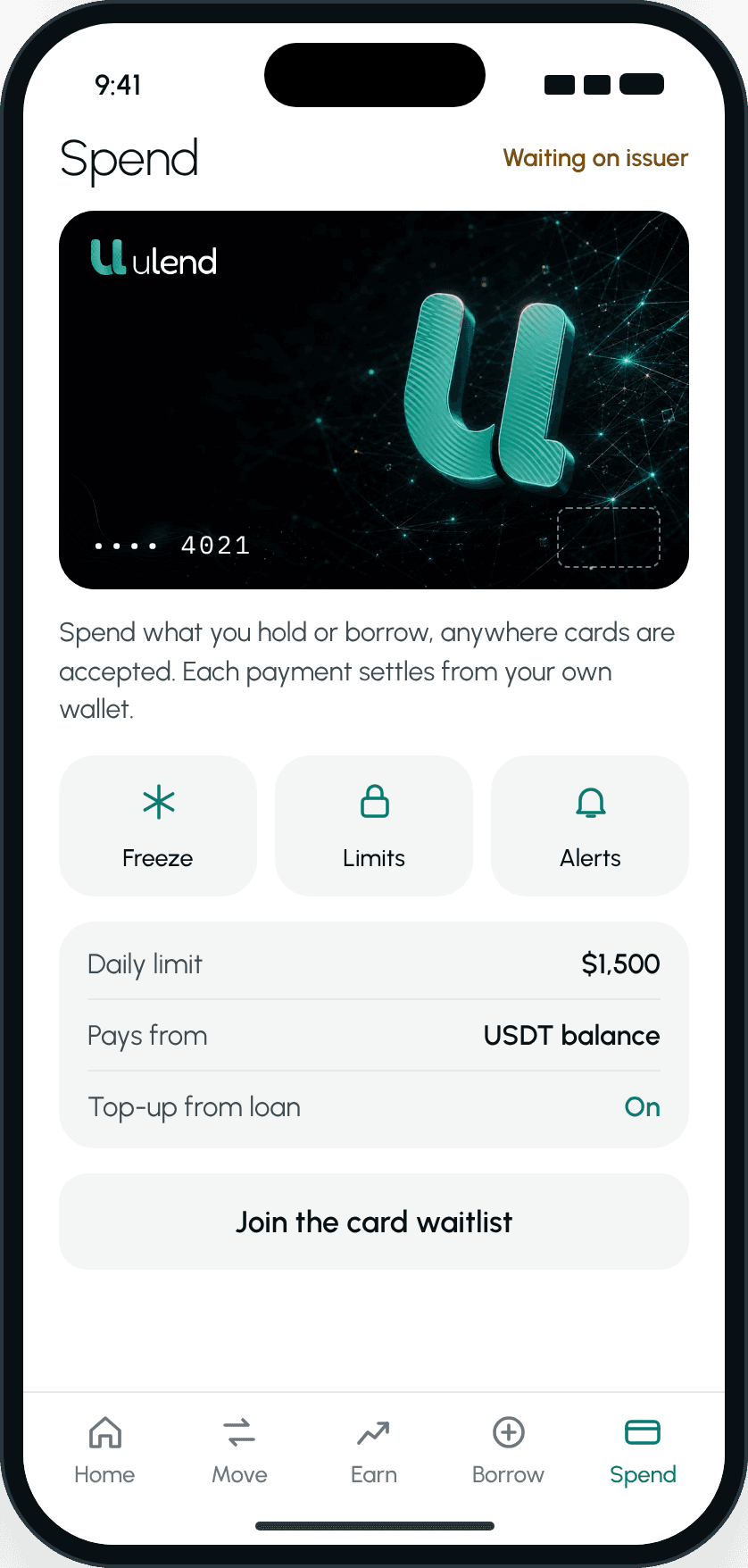
A uLend card designed to pay from your wallet balance, anywhere cards are accepted.
Spend: waiting on issuer on the current web product. App screen in development.
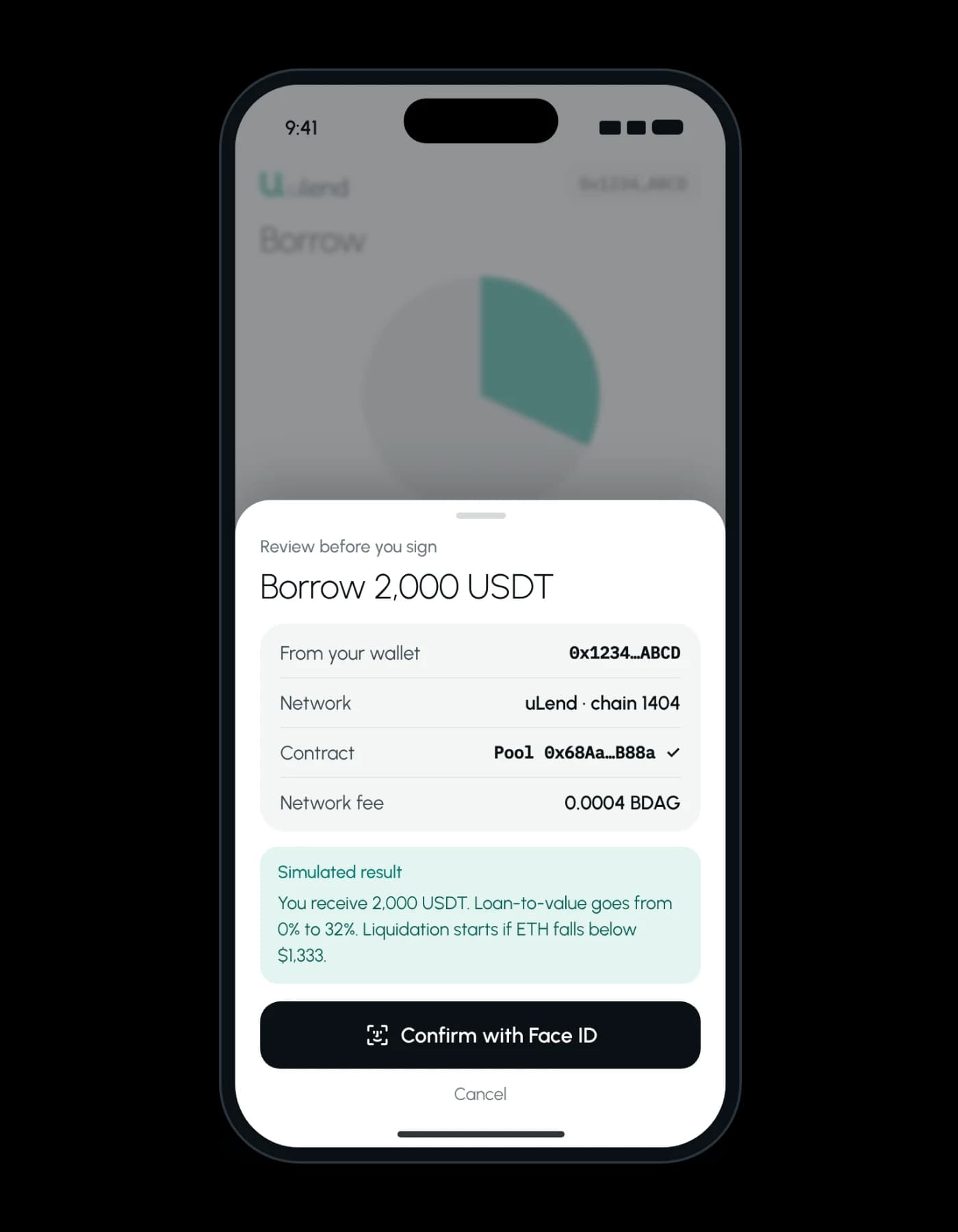
This signing flow is being built.
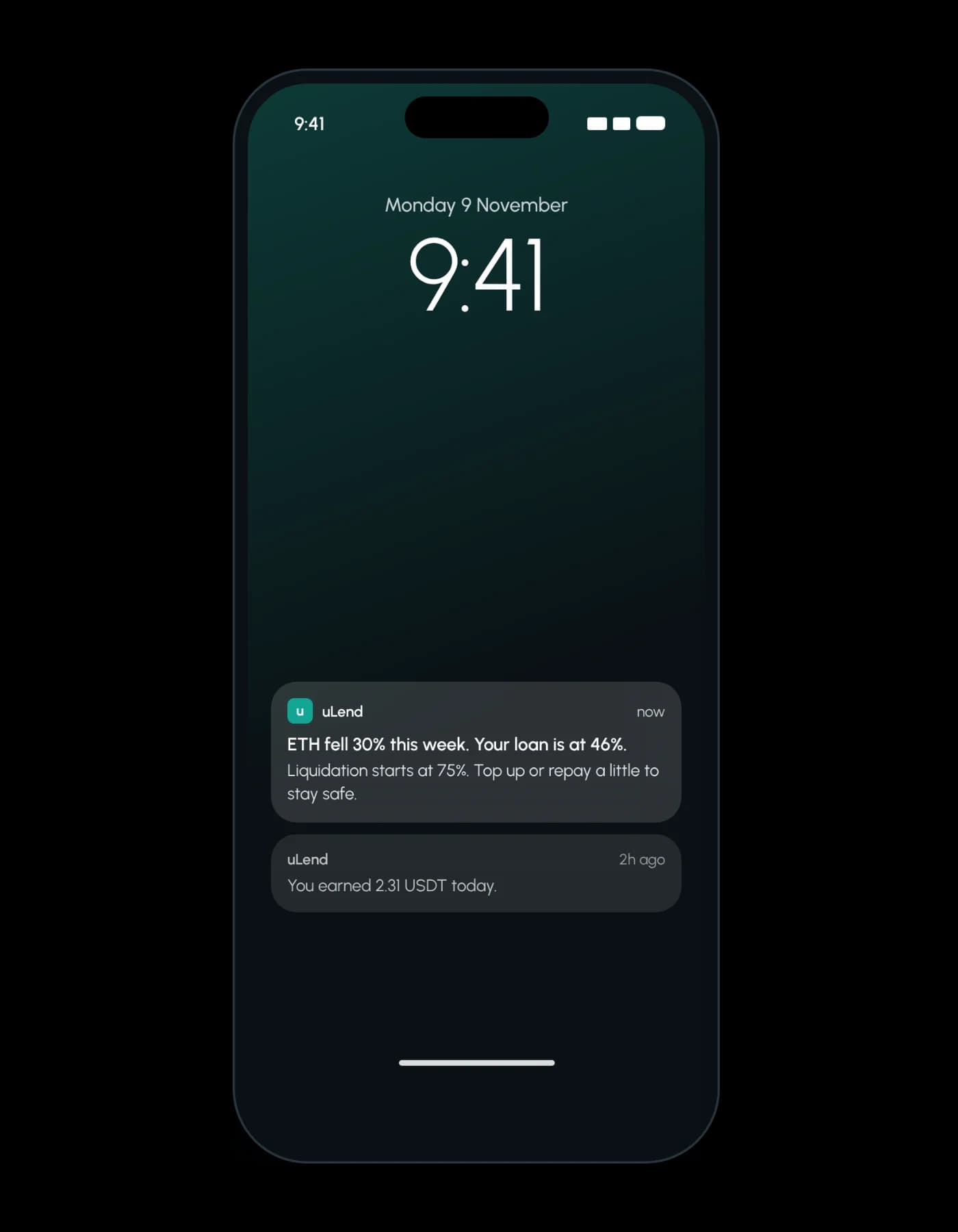
The app will watch the public chain for the wallets you choose and alert you as your loan-to-value rises, with a one-tap top-up or repay.
In this sample, 2 ETH backs 2,000 USDT. Liquidation begins near $1,333 per ETH. Illustrative. Limits differ by asset.
 iPhone
 Android
Built with SwiftUI and Jetpack Compose. The same screens and words on both, with each platform's own controls.
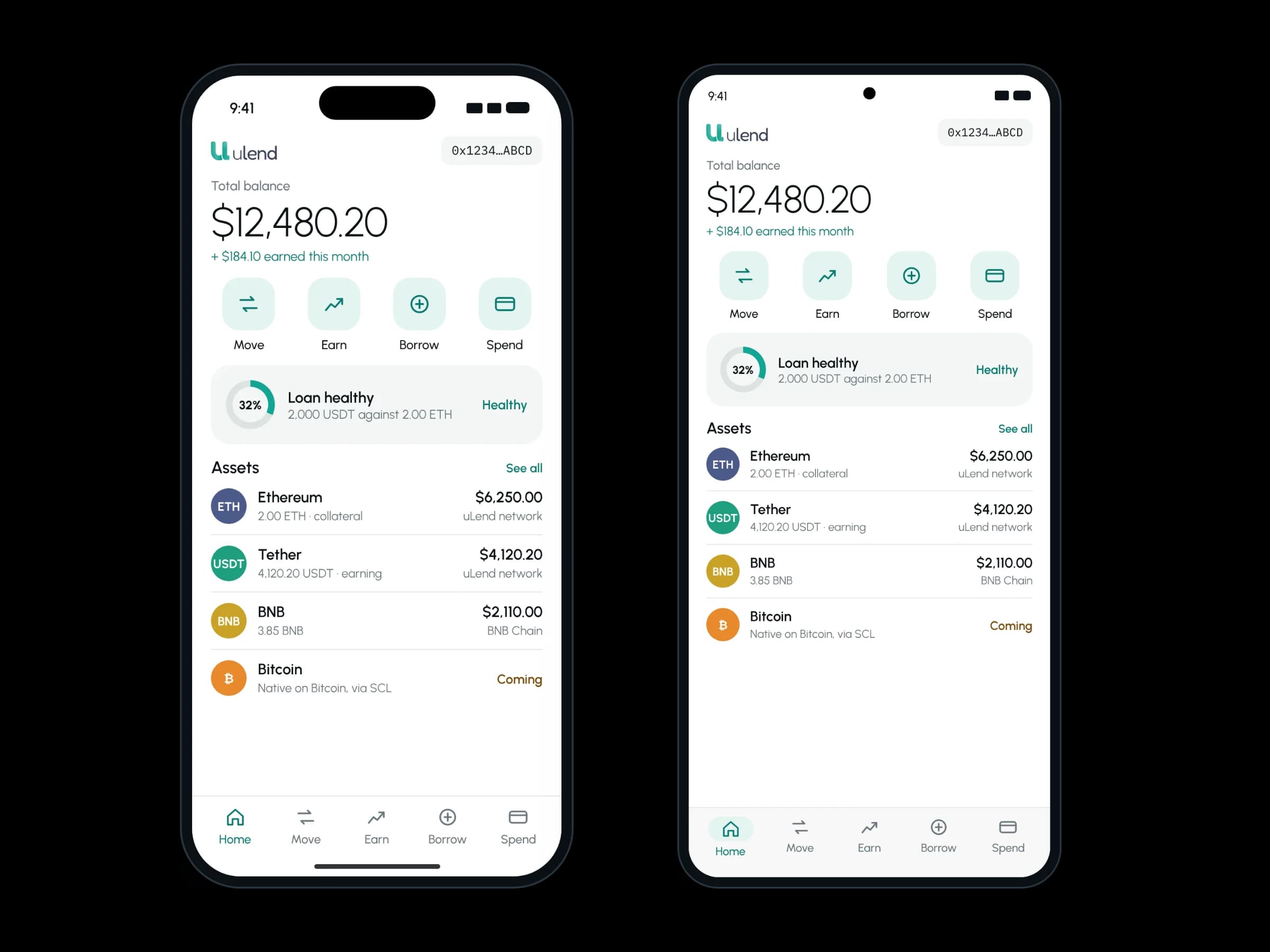
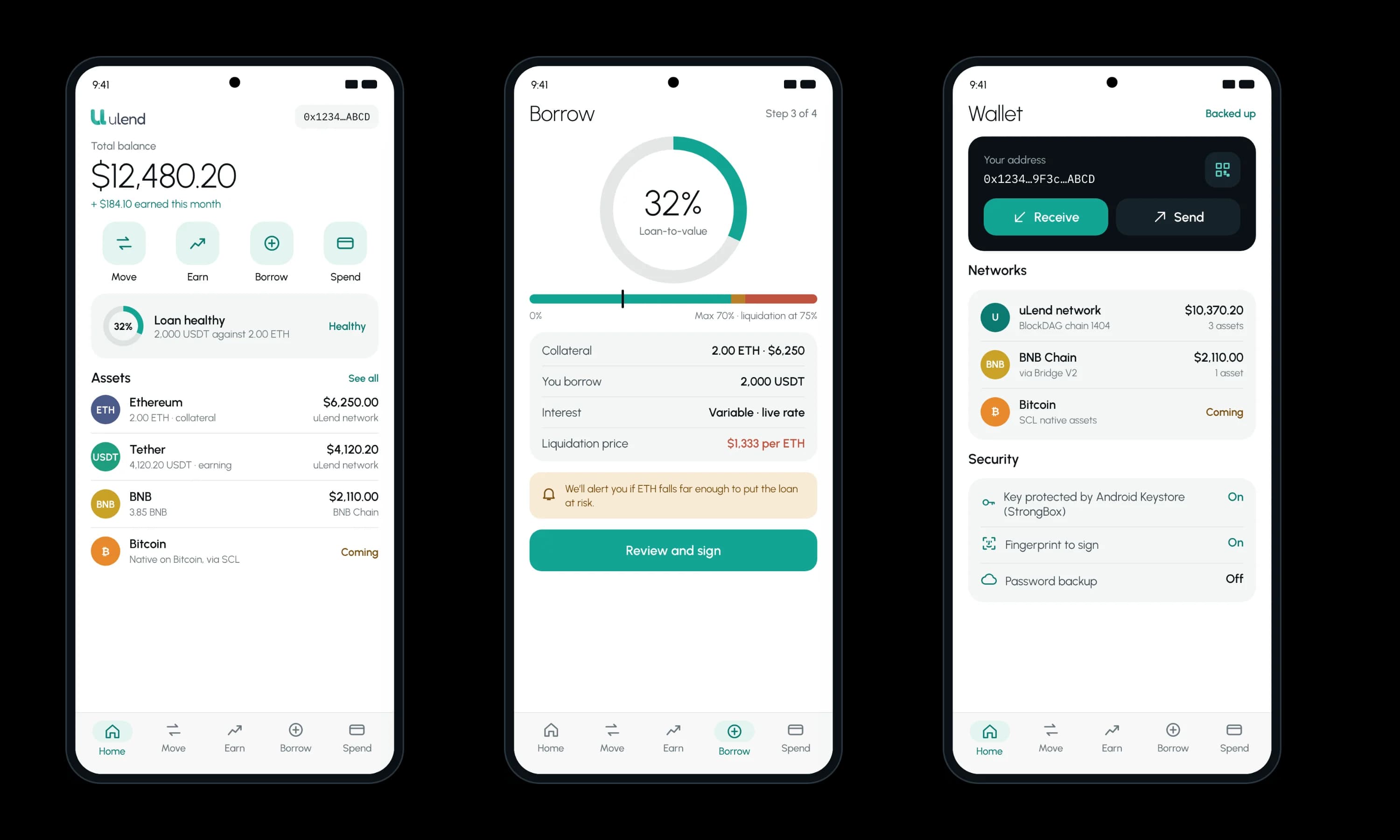
In testing. Native shell, Reown wallet connection and wallet-signed lending actions in internal testing.
In development. The SwiftUI product surface builds in the simulator. Wallet signing is being built.
Web app: operational. App Store and Google Play: planned.
These are current prototype builds for testing the existing screens. The self-custody wallet shown above is still being built. Use test funds only.
Android prototypeDebug APK for Android 7.0 or newer. Connects an outside wallet through Reown; it does not create or protect a recovery phrase.
Download Android APK56 MB · SHA-256: 749d5cbedf1b02134e03d36a1112bd71df04c49496fda1904608946ae0a8af1d
iPhone simulator prototypeSimulator app archive for Xcode on a Mac. It cannot be installed on an iPhone; device signing is still required.
Download simulator build1.1 MB · SHA-256: b50cfea9b473a7a6cd04a6806351c74ebebe61e2f0062bd81e0bdda2fc297c92
Shared design, wallet core and release checks
When: Now
Create, back up, send and receive
When: Now
Supply, borrow, repay and withdraw
When: When lending reopens. Current status: Paused
Bridge V2 inside the app
When: After Bridge V2 deploys. Current status: Paused
Card and controls
When: After issuer approval
Bitcoin assets in the same wallet
When: After the SCL mint
Public release
When: After store review and counsel sign-off
How the apps are being built.
Join the waitlist for the iPhone and Android release.